Situation Handling
Executive Summary
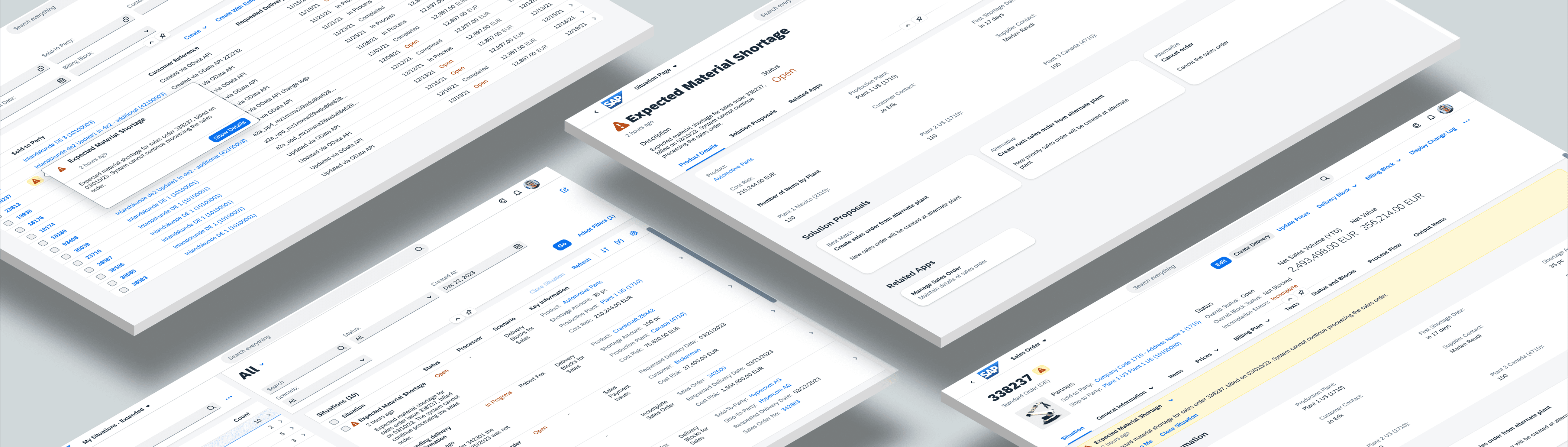
Situation Handling is SAP S four HANA Cloud’s intelligent automation capability that detects business exceptions, notifies the right users, and guides them toward timely resolution. I joined the project in 2022 as a UX Design Specialist and worked on redesigning the existing experience, defining a scalable target design, and preparing the product for future machine learning and Generative AI capabilities.
The work involved close collaboration with intelligent systems specialists, product owners, researchers, and developers. Through extensive whiteboarding, mapping system behavior, and iterative refinement, I helped strengthen the product’s clarity, usability, scalability, and alignment with SAP’s long-term strategy. I also created forward-looking concepts that were later reviewed by a senior executive and influenced future investment decisions.
This case study presents the project context, design process, progressive demo narrative, and the three central design challenges shaping how users discover, understand, and resolve business situations.
Introduction
Organizations across the world deal with unpredictable issues every day. These issues can appear in supply chain management, finance, procurement, sales, or manufacturing. They affect:
• Process efficiency
• Financial performance
• Customer satisfaction
• Employee productivity
• Overall business resilience
Many issues often remain unnoticed until they block an order, delay an invoice, delay manufacturing output, or create customer dissatisfaction. This leads to operational risk and avoidable manual effort.
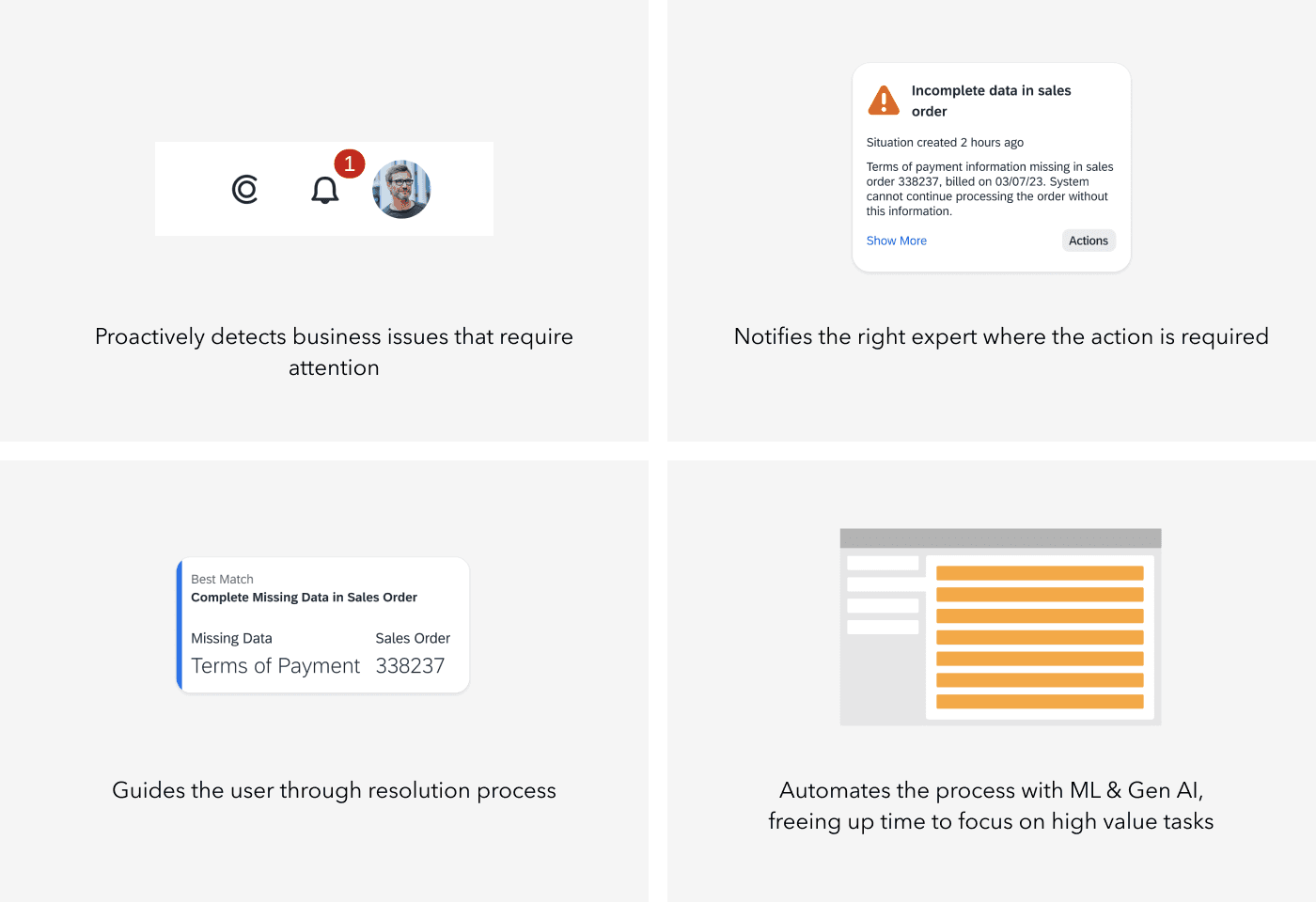
Situation Handling solves this problem by detecting exceptions across SAP S four HANA Cloud, notifying the right users and guiding them through the resolution.
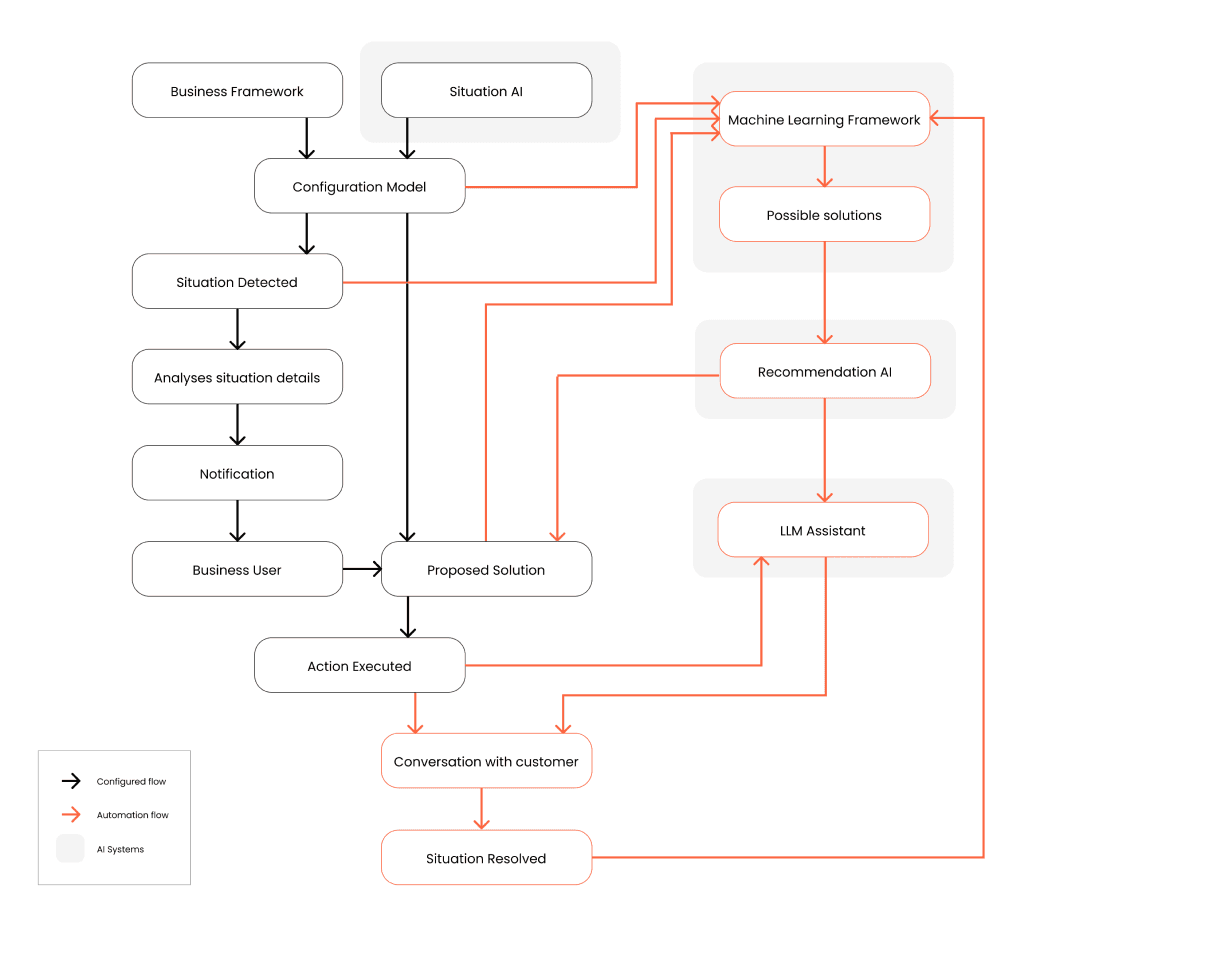
It works across past data, present activity, and future predictions. Early versions relied on rules, while later phases incorporated machine learning and, eventually, Generative AI.
As capabilities expanded, the user experience needed to evolve so users could understand the situation, trust the guidance, and act efficiently.
What Situation Handling Helps Businesses Achieve
Situation Handling allows organizations to:
• Detect issues early
• Respond faster with the right context
• Increase process efficiency
• Reduce manual repetitive work
• Improve accuracy and decision quality
• Enhance customer experience
• Identify recurring situations that can be automated or prevented
• Scale exception-handling across business processes without rewriting application logic
Because Situation Handling operates independently of business applications, it can be integrated easily and consistently across SAP’s ecosystem.
My Role
I joined the project in 2022 as a UX Design Specialist. My responsibilities aligned with senior-level complexity due to the cross-system impact and the strategic nature of the work. My contributions included:
• Understanding the technical landscape, exception logic, and business context
• Collaborating with the intelligent systems expert and the product owner
• Partnering with researchers and supporting designers to gather insights
• Redesigning the existing user experience for clarity and usability
• Designing the target experience for future ML and Generative AI capabilities
• Creating the mobile experience for Situation Handling
• Writing detailed guidelines for how other SAP teams should integrate the capability
• Using extensive whiteboarding to map flows, identify gaps, and validate system behavior
• Working across multiple releases to align design with engineering path and feasibility
This mix of tactical design, system thinking, and strategic vision enabled consistent decision-making across milestones.
Design Process
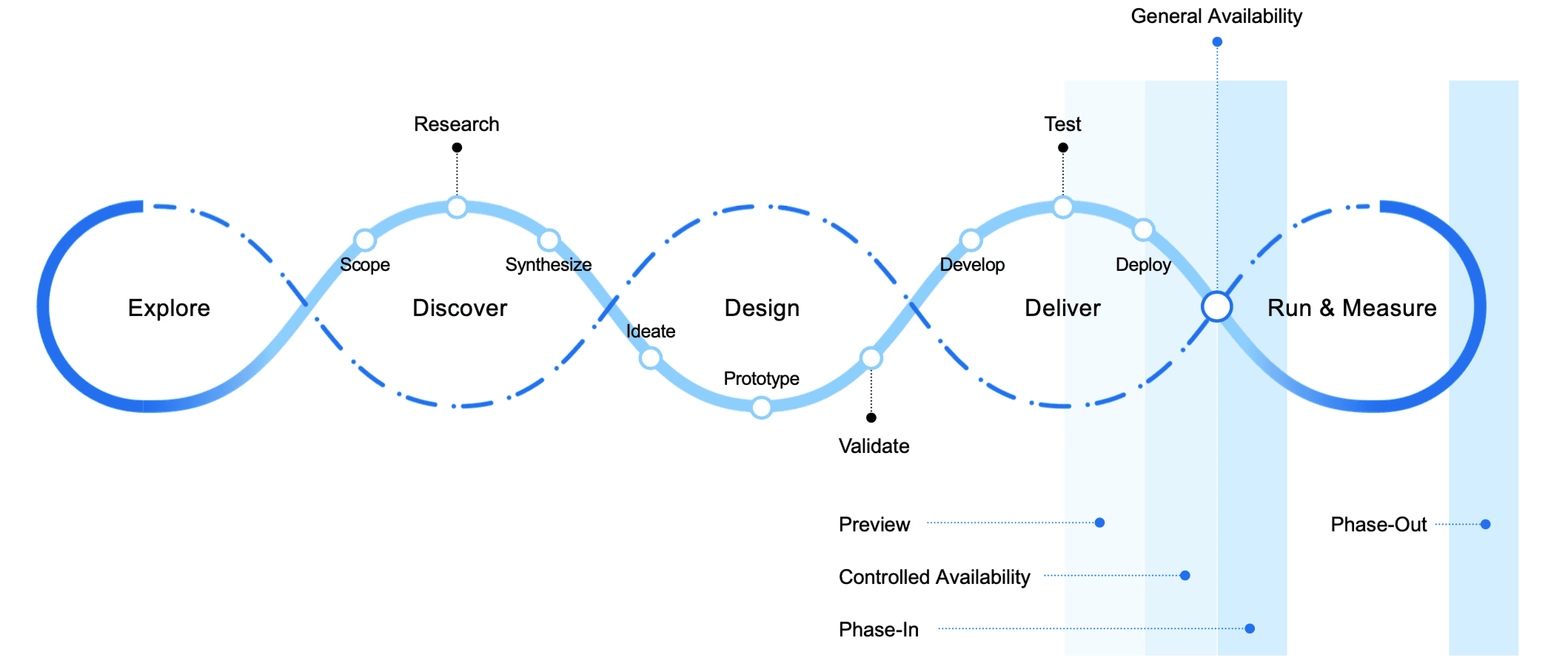
The work followed SAP’s Design Led Development process, but the core engine of progress was whiteboarding. These sessions helped teams understand the system, challenge assumptions, and visualise end-to-end flows.
Whiteboarding helped us:
• Build a shared mental model of cross-domain logic
• Identify gaps in flows and exception logic
• Understand how technical systems behave under different conditions
• Clarify dependencies and risk areas
• Align stakeholders quickly
• Encourage collaboration across teams
• Support rapid ideation
• Break mental barriers and uncover opportunities
Much of the system understanding emerged through this highly collaborative, iterative way of working.
Project Milestones
1. Use Case Redefinition
The original use case did not showcase the full potential of Situation Handling. I collaborated with the product owner and intelligent systems expert to redefine the primary narrative. This improved clarity and strengthened the storytelling behind the product’s value.
2. Target Design
As SAP introduced early machine learning and Generative AI capabilities, I explored forward-looking concepts demonstrating how Situation Handling could evolve into a predictive and proactive experience. These were reviewed by a senior executive and influenced the future roadmap.
3. Redesign of the Existing Experience
I redesigned notification behavior, page structure, contextual explanations, solution workflows, and the information architecture to support real-world business use cases. This redesign supported both expert and occasional users.
4. Mobile Experience
I created the mobile adaptation for Situation Handling, enabling exception management in operational environments, especially in manufacturing and supply chain contexts.
5. Design Guidelines
To ensure consistency across all SAP applications, I authored guidelines that explained how to integrate Situation Handling, how to structure situations, and how progressive disclosure should work across touchpoints.
6. Generative AI Adoption
When SAP shifted toward a stronger Generative AI strategy, the target design became relevant again. The direction was validated, funded, and later implemented in subsequent phases.
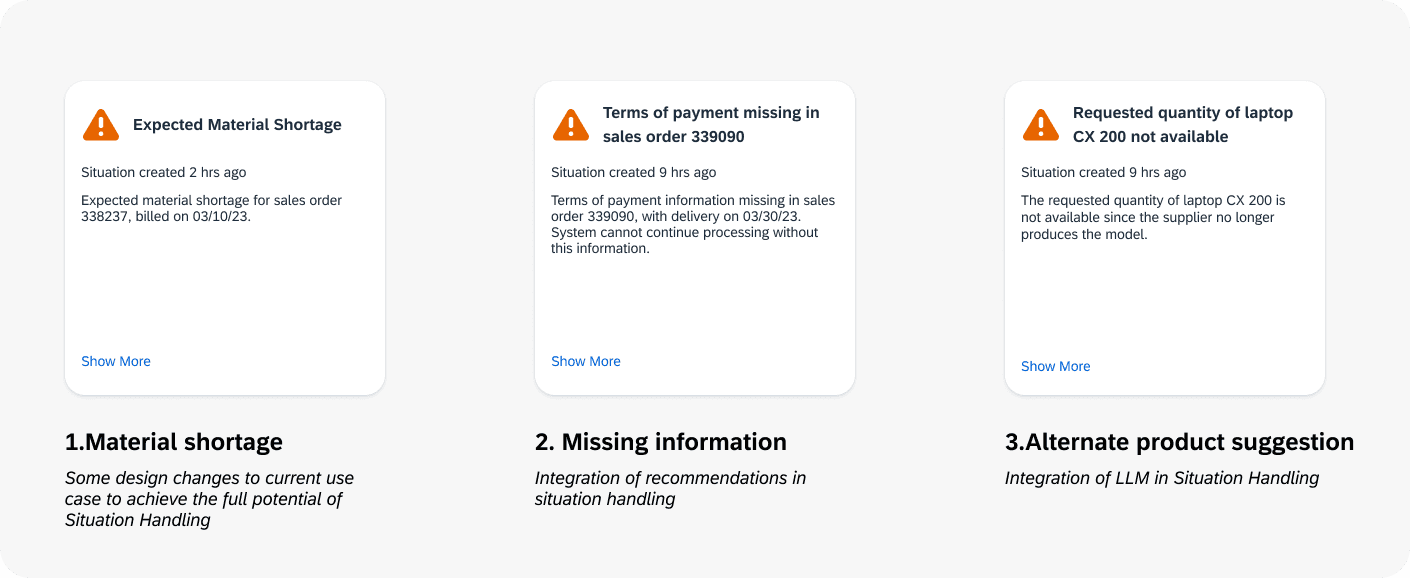
Three Storylines for the Product Demo
A progressive demonstration of increasing intelligence
To communicate the value of Situation Handling clearly, I created a three-part storyline that demonstrates the system’s intelligence progressively. This structure was later used in the official video.
Storyline 1
Material Shortage
The system detects that a required material will not be available for an upcoming manufacturing process.
It notifies the responsible user early and provides clear context and recommended actions.
This prevents delay and keeps the process on track.
Storyline 2
Missing Payment
The system identifies that a payment has not been received.
It presents the necessary context, highlights the risk, and recommends a suitable follow-up action.
The user can approve or adjust the recommendation, resolving the situation efficiently.
Storyline 3
Device Replacement Scenario
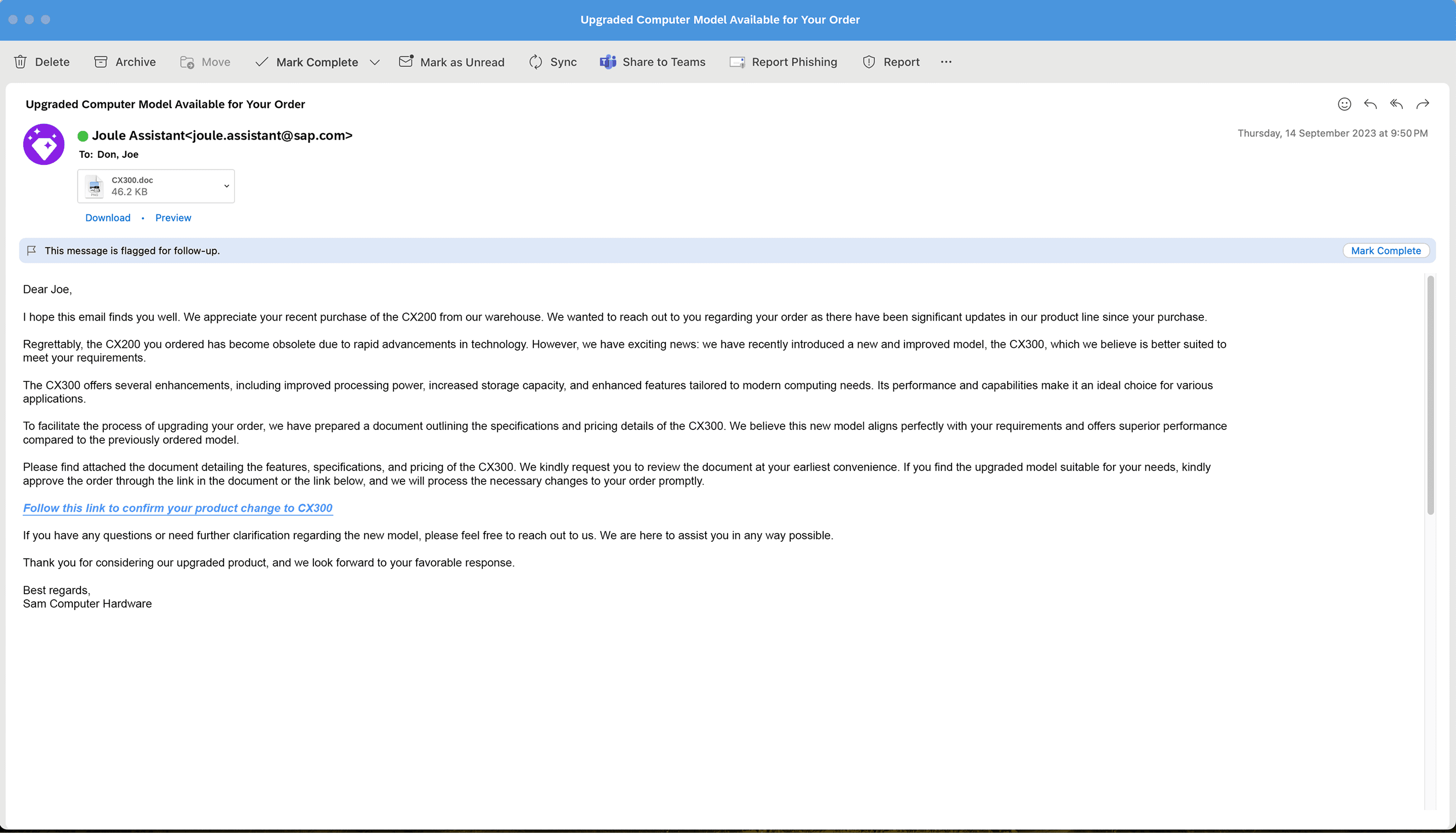
A customer requests a laptop model that has reached end of life.
The system identifies the closest replacement and formulates a clear explanation for the customer.
Once the customer approves, the quotation is updated automatically.
This demonstrates a more advanced capability where the system supports task execution and communication.
These storylines together show how Situation Handling expands from detection, to guidance, to AI-assisted problem solving.
Design Challenges
Challenge 1
Challenge 2
There were three major challenges. Together, they shaped the entire experience from awareness to understanding to resolution.
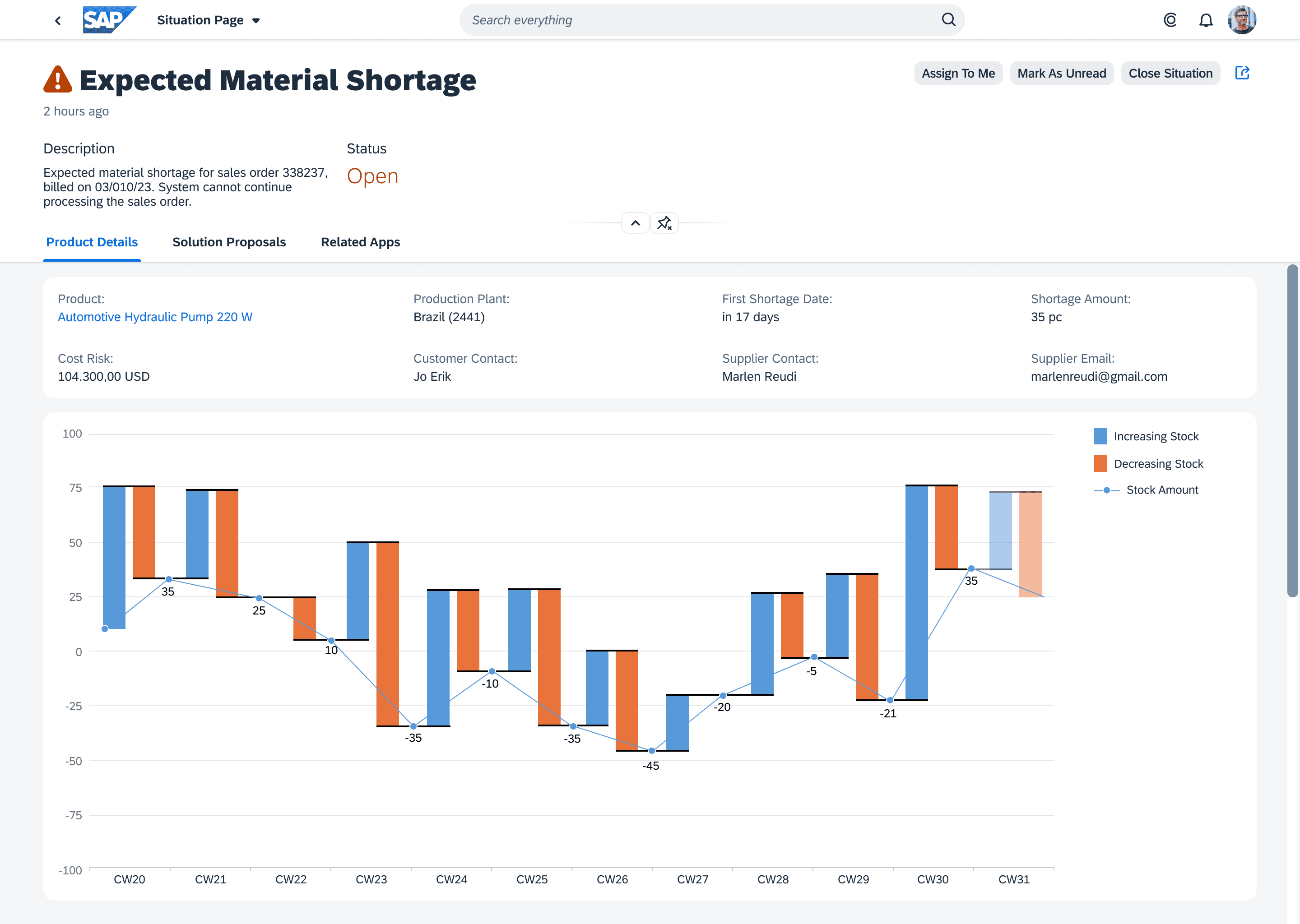
How to design the Situation Handling page so users immediately understand the issue
Once users open the situation page, clarity becomes critical.
They must understand the issue, why it occurred, and what they can do next.
To achieve this, the page includes:
• A clear header with the title, status, and actions such as assign to me and close situation
• Tabs for product details, solution proposals, and related apps
• A detailed explanation of the situation along with visuals
• Cards that present available solution proposals
• Easy navigation to related business screens when required
This structure supports both novice and expert users.
The challenge was balancing clarity, flexibility, and the depth needed for enterprise workflows.
Challenge 3
How to notify users when a situation is detected and progressively reveal the right amount of information
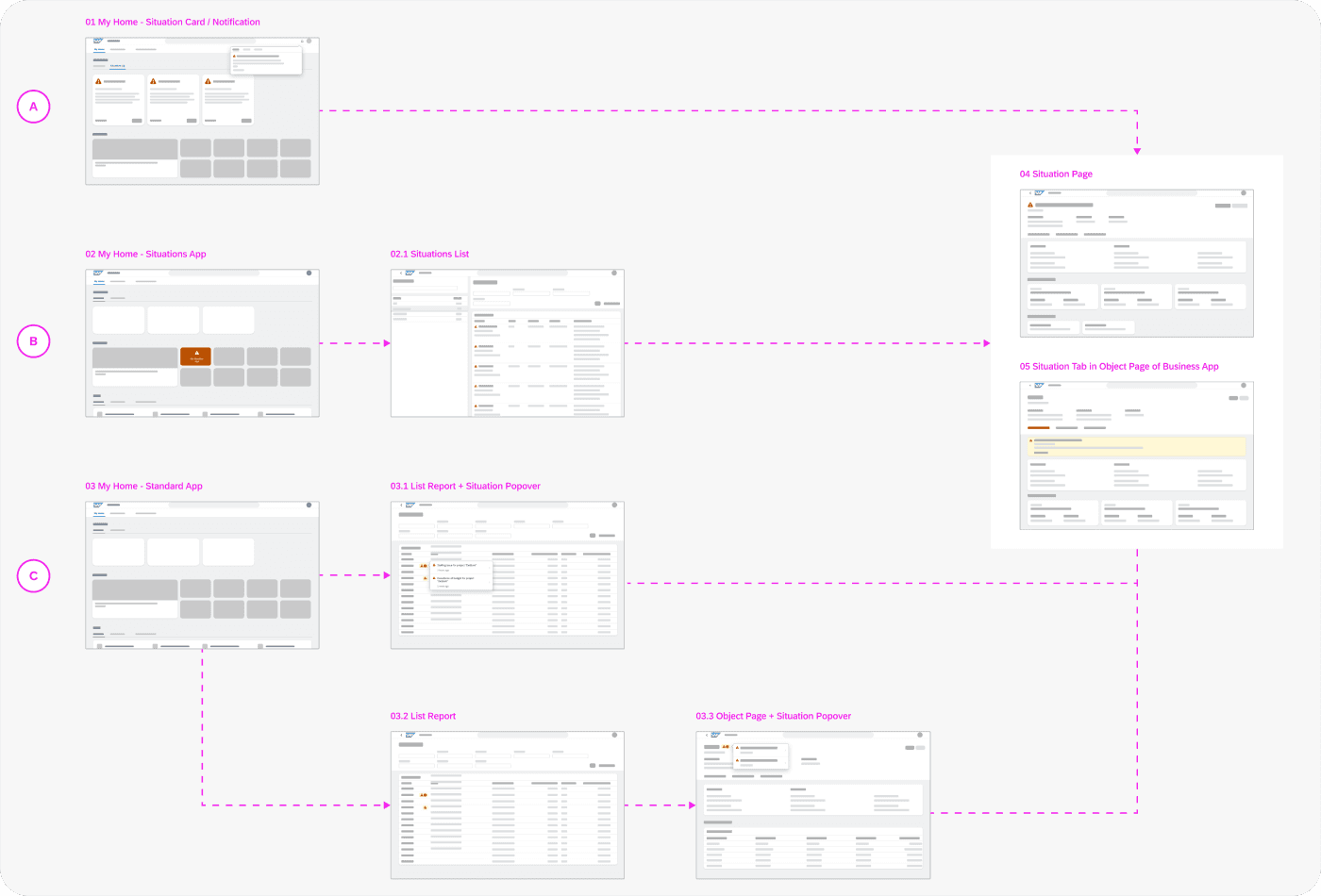
A situation can appear from multiple touchpoints. Users may first encounter it:
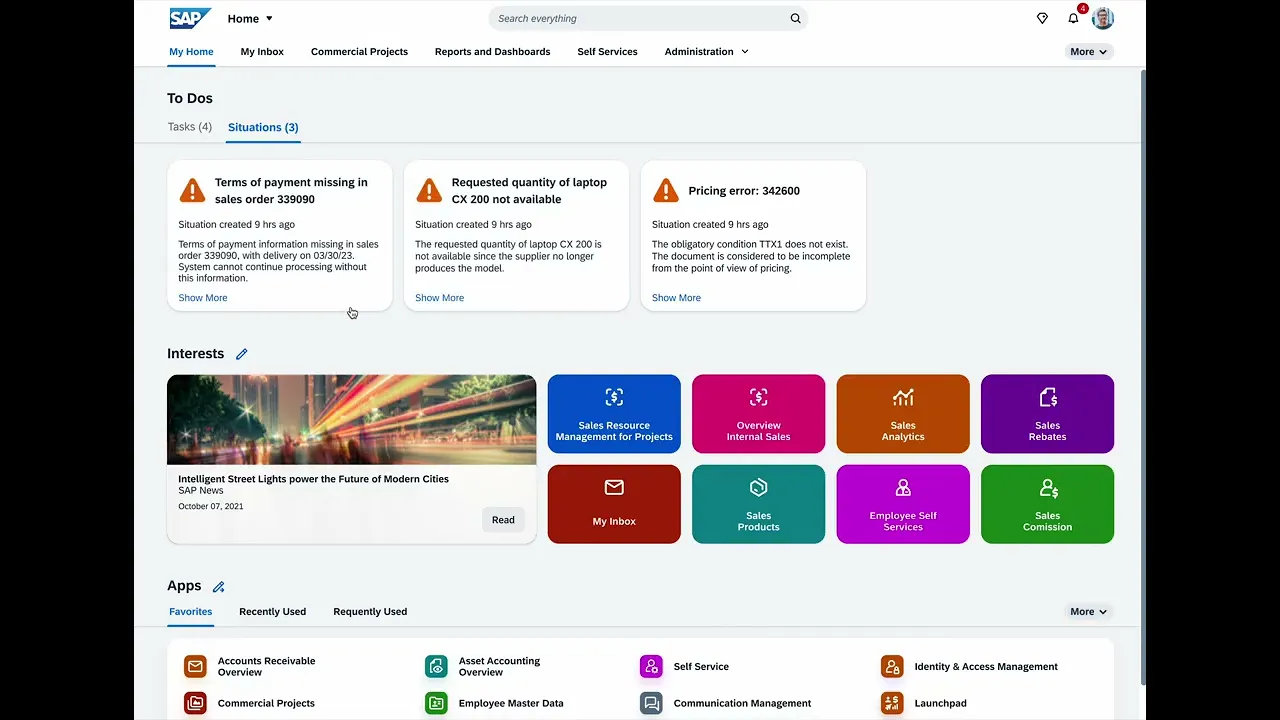
• On My Home as a to-do card
• As a notification in the notification panel
• In list reports through an indicator icon
• In object pages through a warning icon
Each entry point must feel intuitive and consistent.
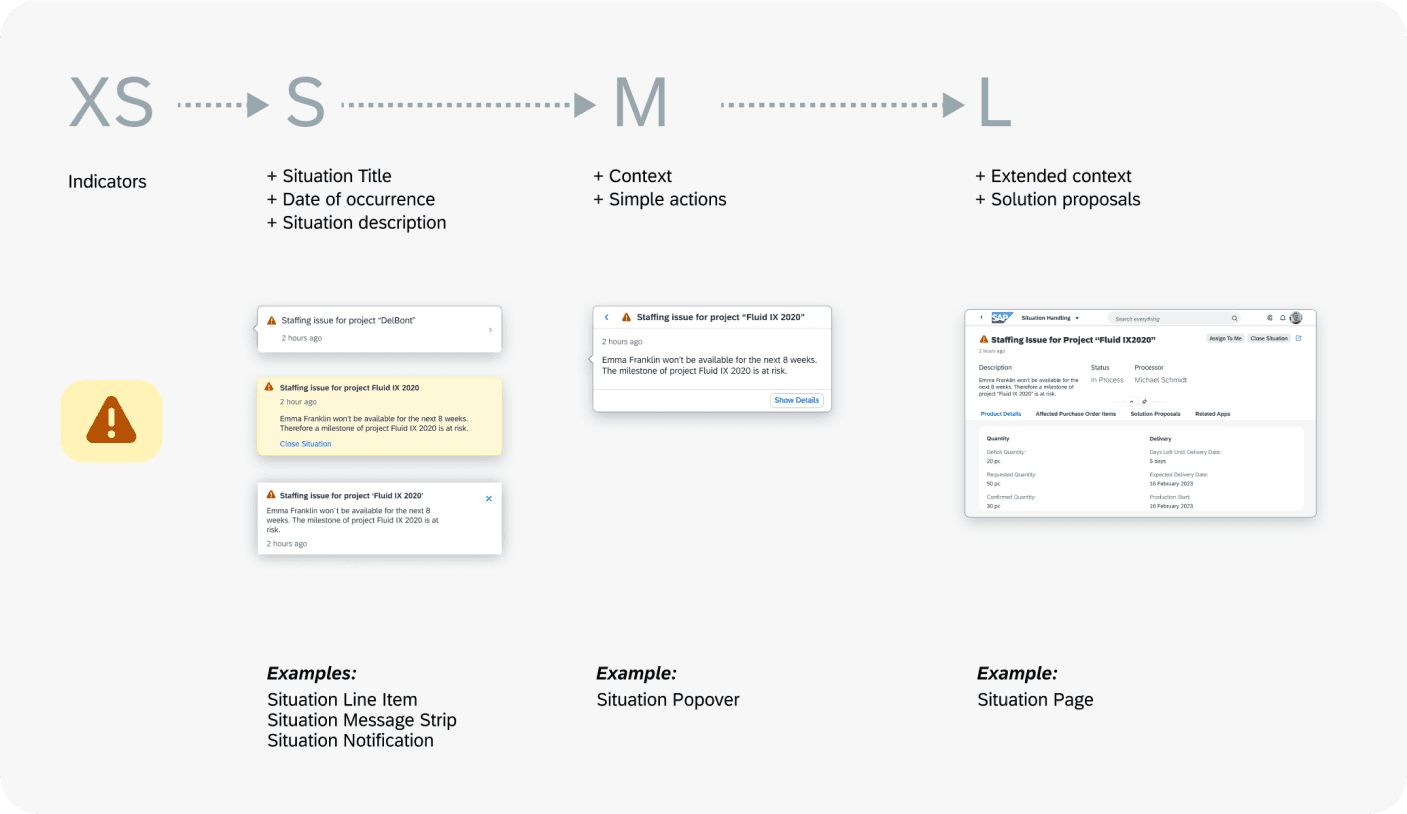
To achieve this, we created a progressive disclosure model with three levels.
Level 1: Simple indicator
A triangle icon that signals the presence of a situation without interrupting workflow.
This keeps the interface clean while maintaining visibility.
Level 2: Compact card
A small card containing the situation title, date or time of occurrence, and brief description.
This works well in My Home and the notification panel.
Level 3: Popover
Hovering on the indicator reveals a medium-size popover that provides context and simple actions.
Users can quickly understand what is happening without leaving the current screen.
Level 4: Full situation page
The complete information including extended context, required details, solution proposals, and related apps.
This is where the user can fully resolve the situation.
This progression gives users the right level of information at the right time.
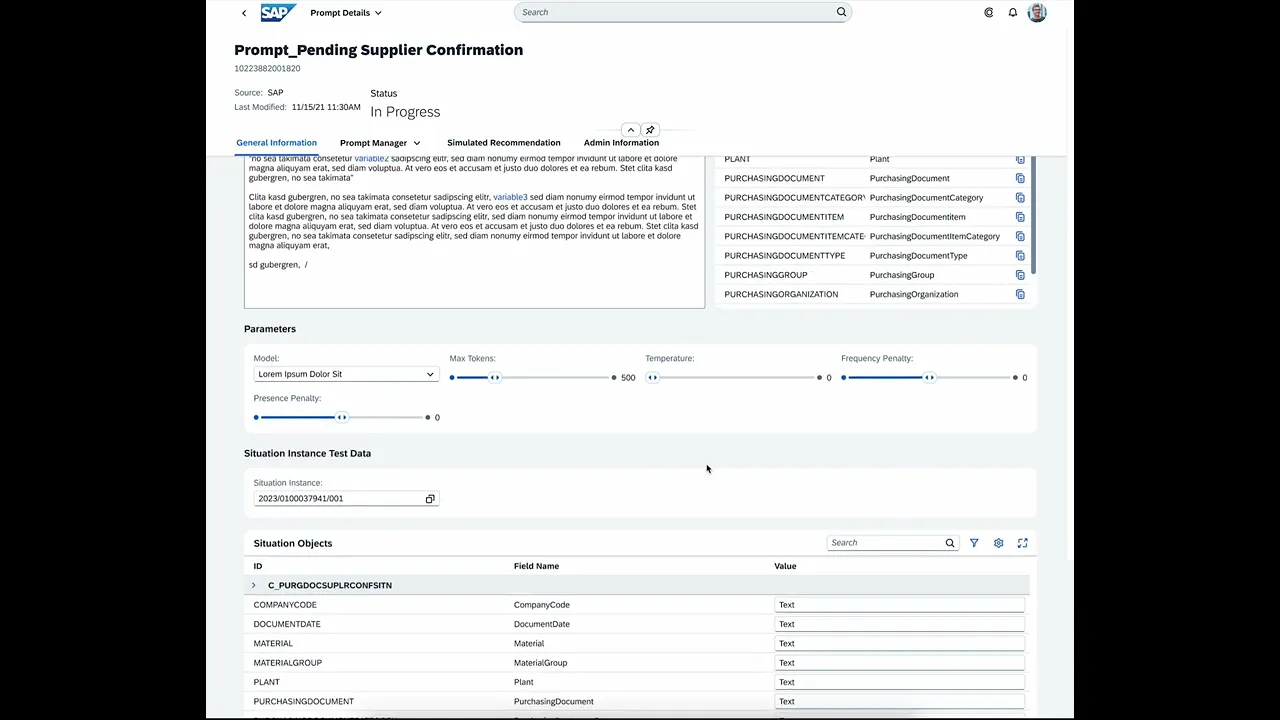
How to support dynamic and situation specific solution proposals
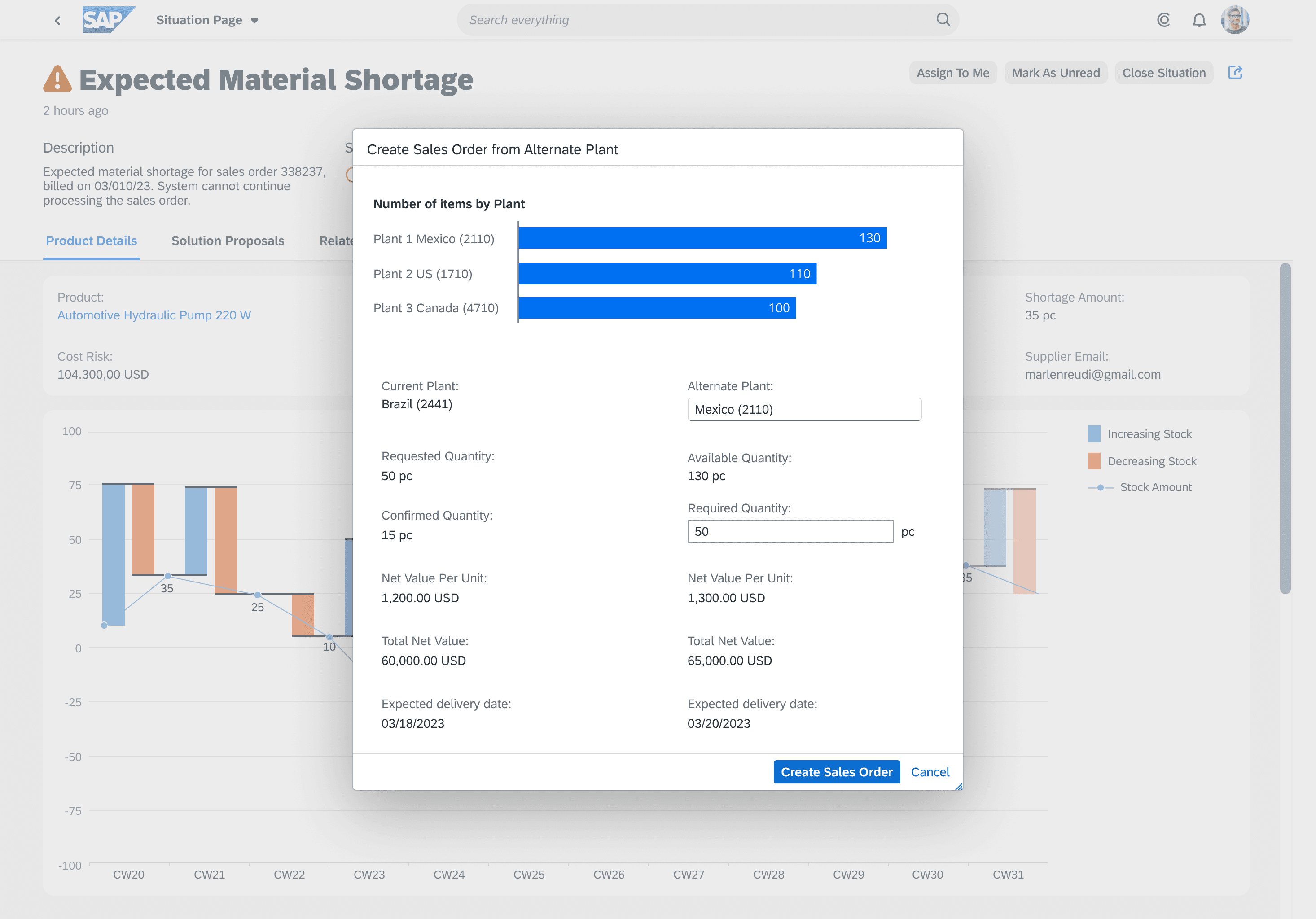
Solution proposals are not static. They depend entirely on the nature of the situation, which may involve adjustments to orders, verification of missing information, reallocation of resources, or customer communication.
We created flexible patterns that support different categories of solutions.
• For modifying sales orders, the dialog presents a clear summary with only the most relevant fields.
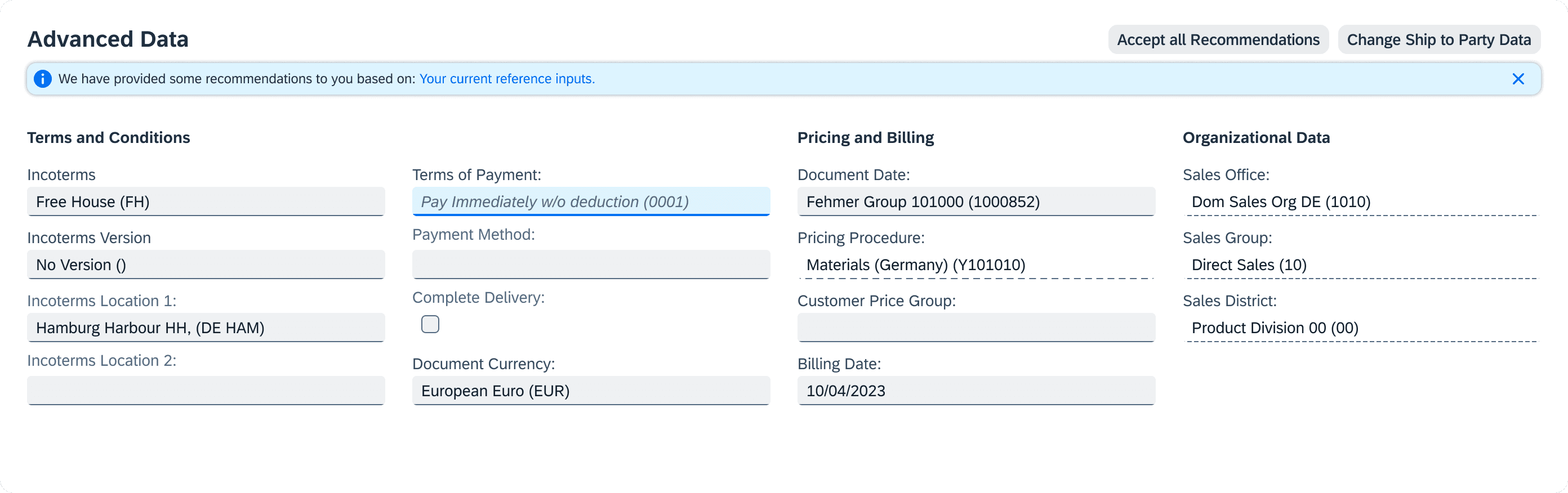
• For missing payment information, the form includes a system recommendation that can be confirmed with one action.
• For replacement scenarios, such as unavailable devices, the proposal explains the alternative option and requires user approval.
• For situations that require deeper investigation, related apps are surfaced contextually.
The challenge was ensuring that all these variations feel coherent, predictable, and part of one system, even though the underlying logic varies significantly.
Final Product
Why This Matters for SAP
This work strengthened SAP’s foundation for intelligent exception handling. It helped the organization by:
• Improving clarity and usability across all levels of interaction
• Creating a scalable pattern that all SAP business applications can adopt
• Reducing cognitive load for business users managing complex scenarios
• Enabling consistent behavior across desktop and mobile
• Laying the conceptual groundwork for machine learning and Generative AI
• Supporting the transition toward predictive, autonomous business processes
• Ensuring a unified approach to Situation Handling across the SAP ecosystem
Closing Notes
Situation Handling required a mix of system understanding, UX clarity, and strategic thinking. The work covered redesigning current capabilities, shaping the future of AI-enabled exception handling, and aligning teams across domains. The resulting experience supports users across a wide range of business situations and contributes to SAP’s vision for the Intelligent Enterprise.